Logo
Prometheus R&D | 2026 Lucky Tracker

How does Lucky Tracker work?

Learn in minutes how to register your pets, report emergencies and connect with your community.

1

Your control center: the Dashboard

After logging in you land on the Dashboard. The bottom bar takes you through the 5 sections: Feed, Home, Community, Emergency and Profile. Pull down to refresh everything and use the magnifier to search pets, groups and users.
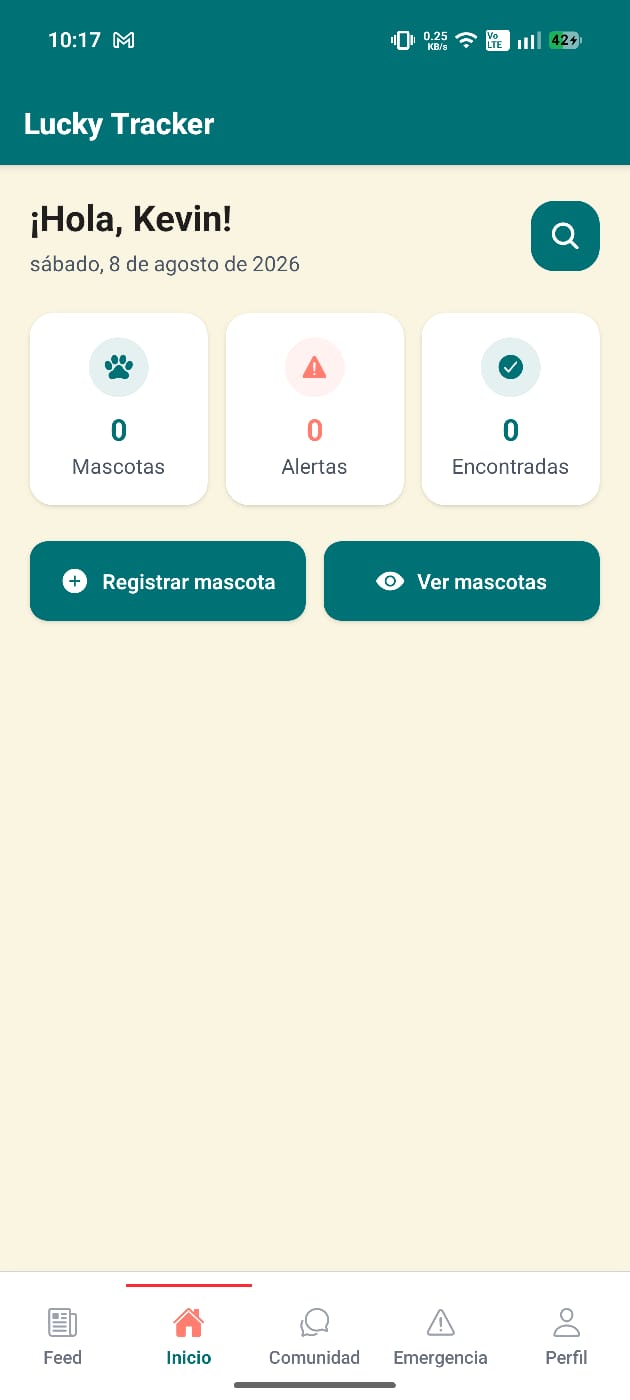
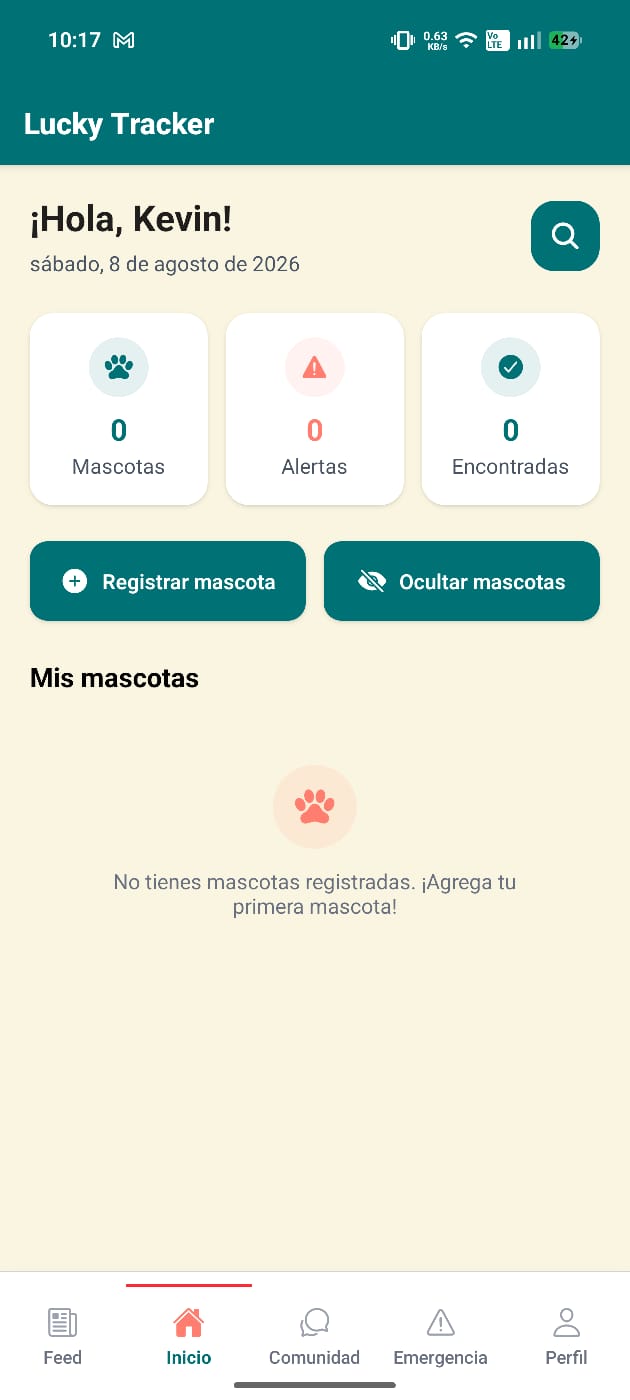
Dashboard — Home section
Your pet list
Your pet list
2

Register your pets

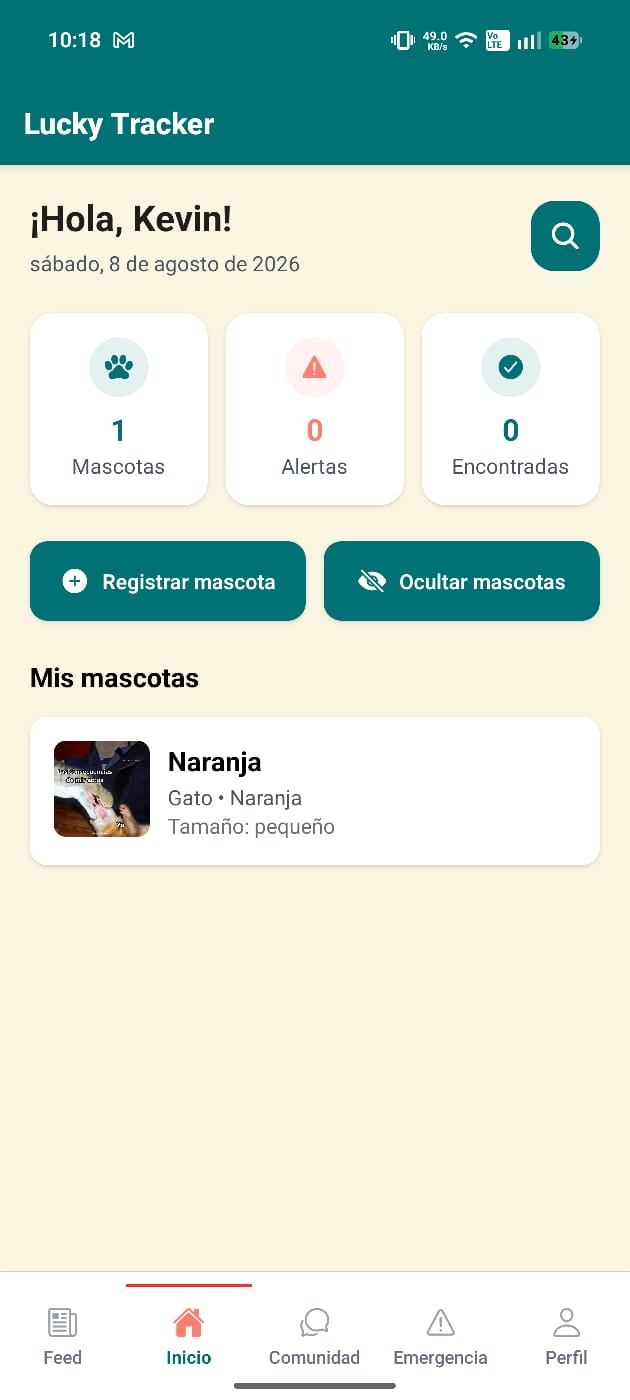
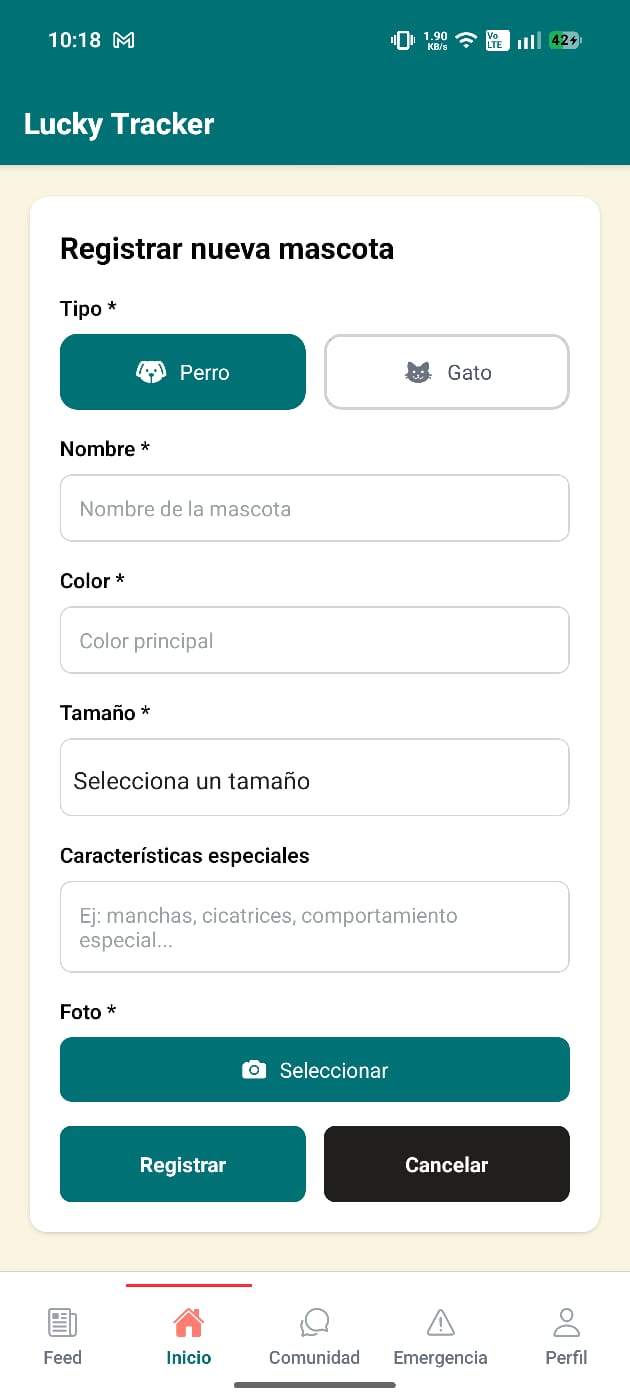
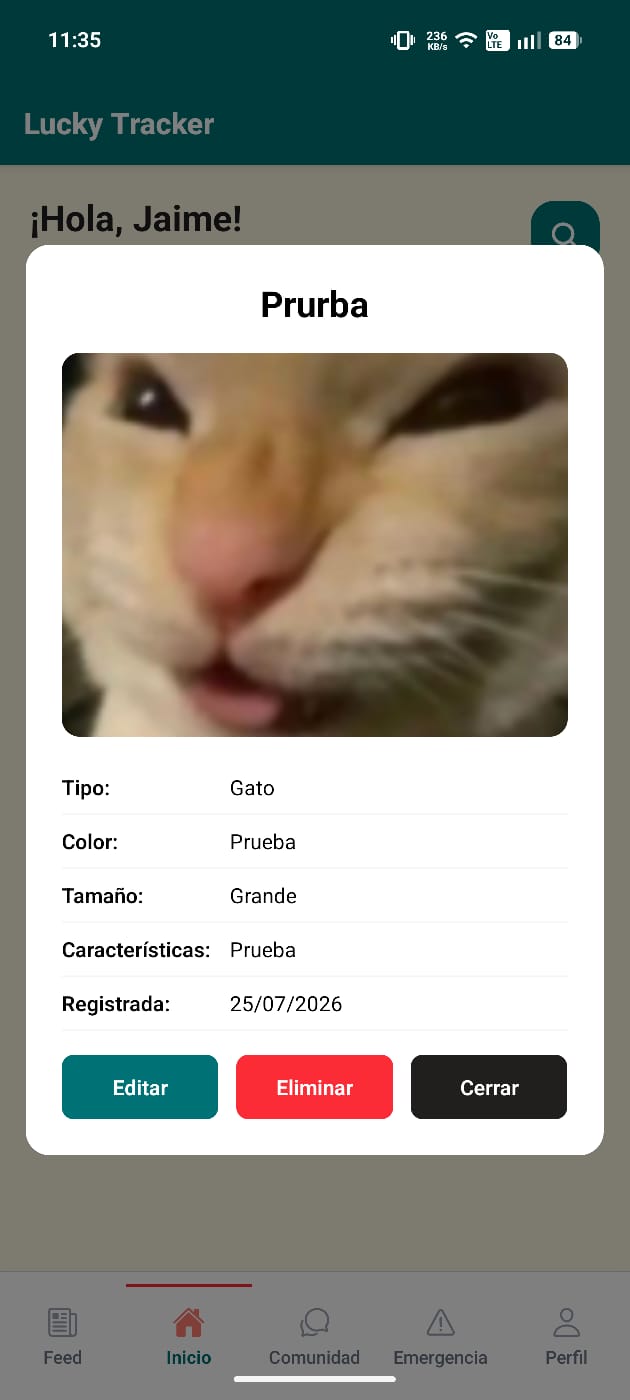
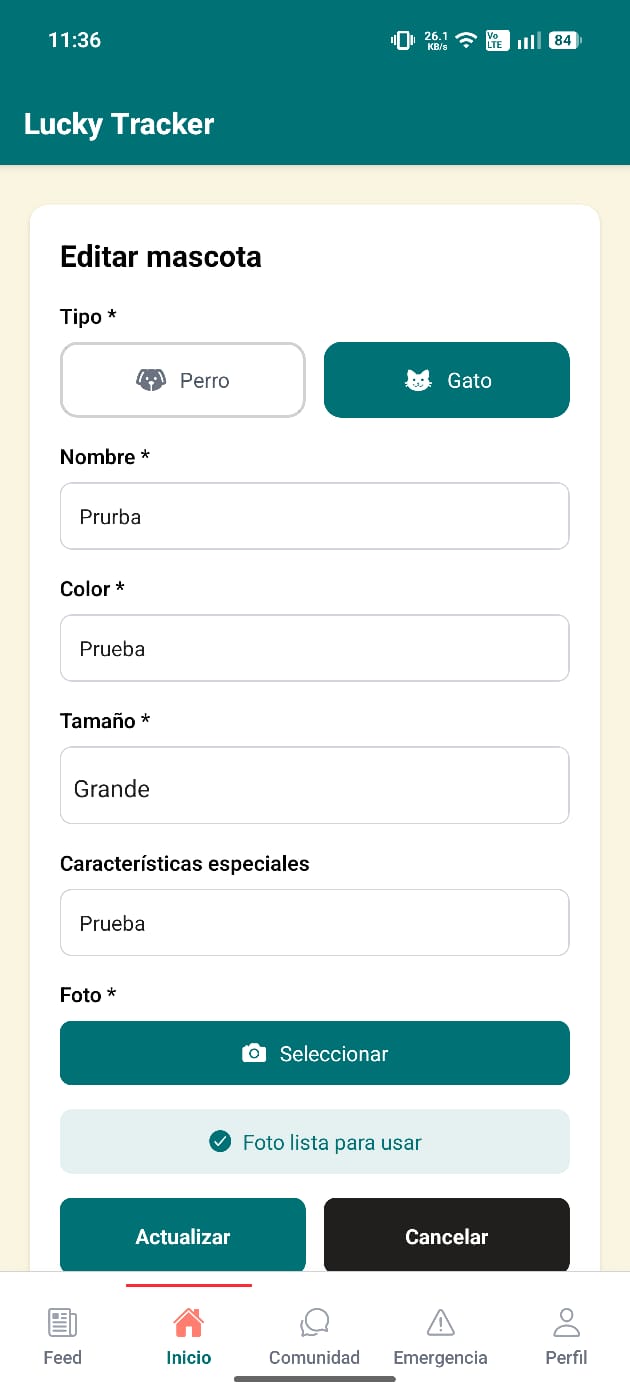
In the Home section you'll find summary cards (pets, alerts, found) and your pet tools. Tap «Register pet» and fill in type (dog/cat), name, color, size, features and photo. Tap a pet to open its detail card, where you can edit or delete it.

Home with one pet registered
New pet form
New pet form
Pet detail card
Pet detail card
Pet form in edit mode
3

Report a lost pet

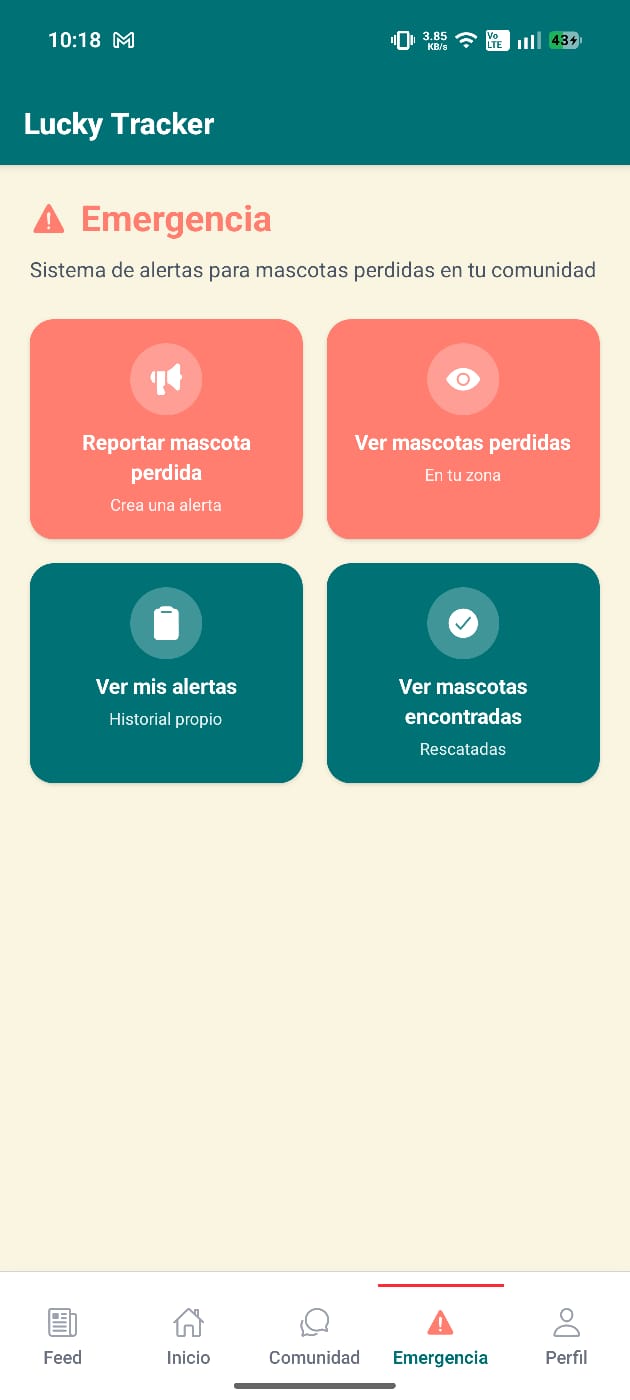
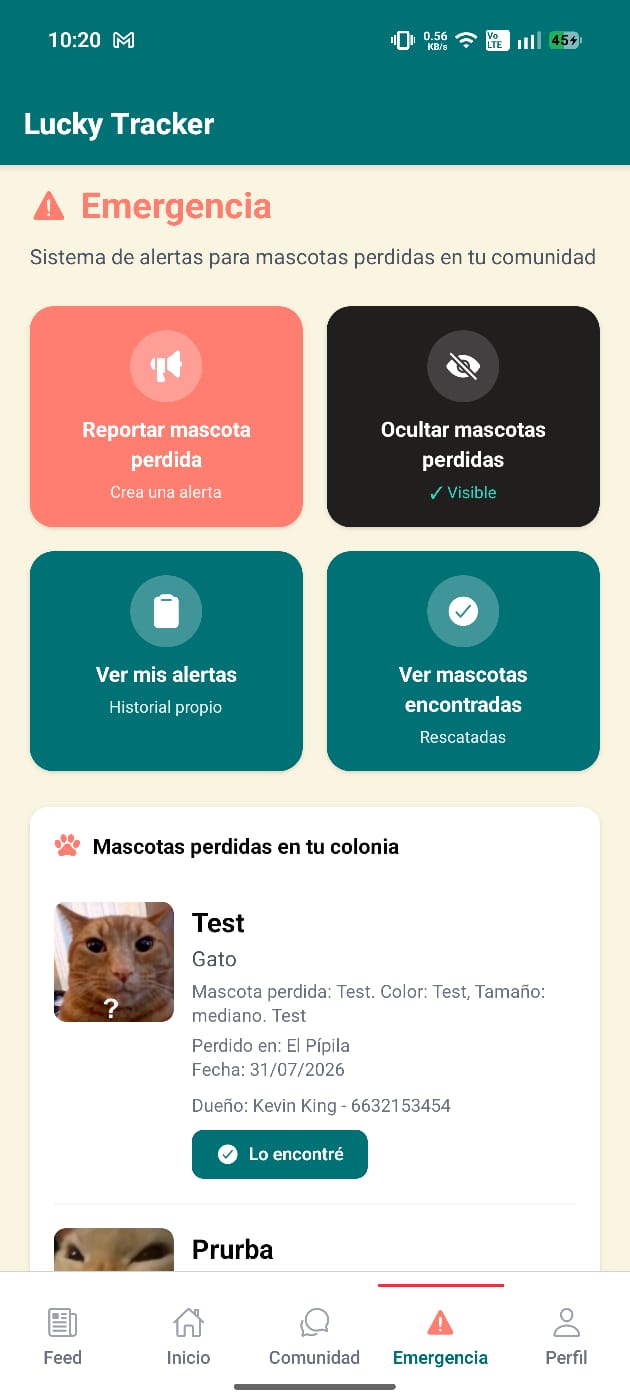
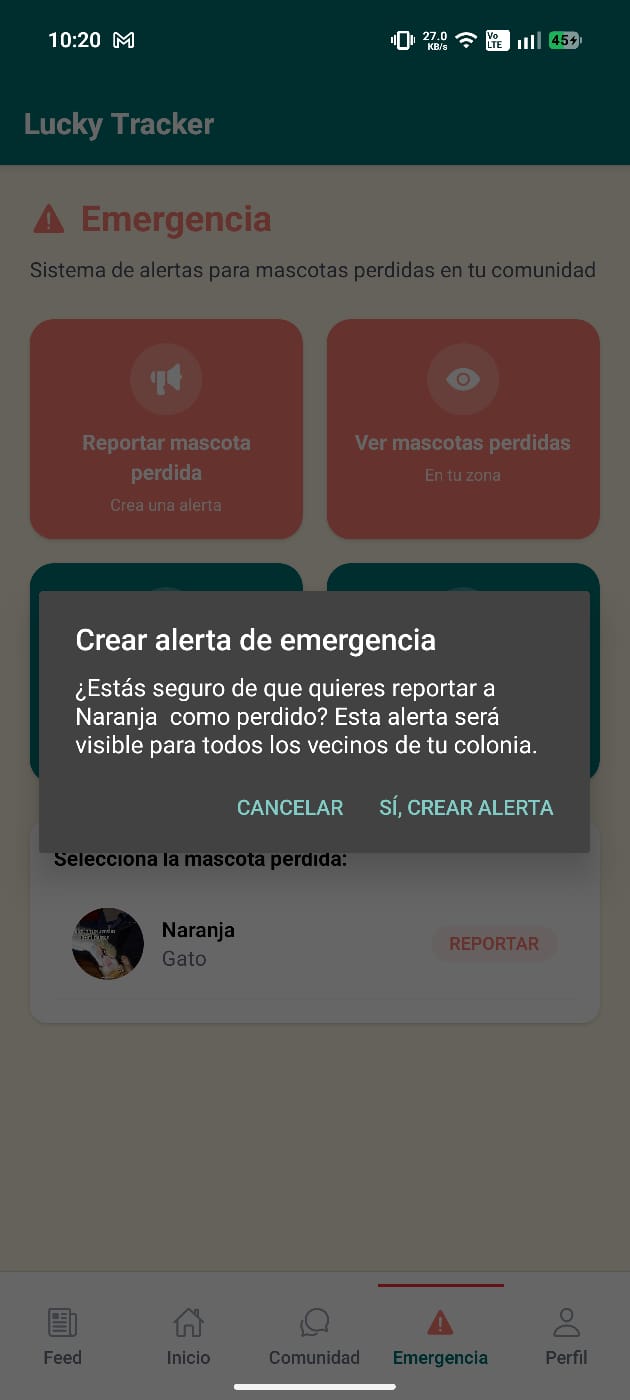
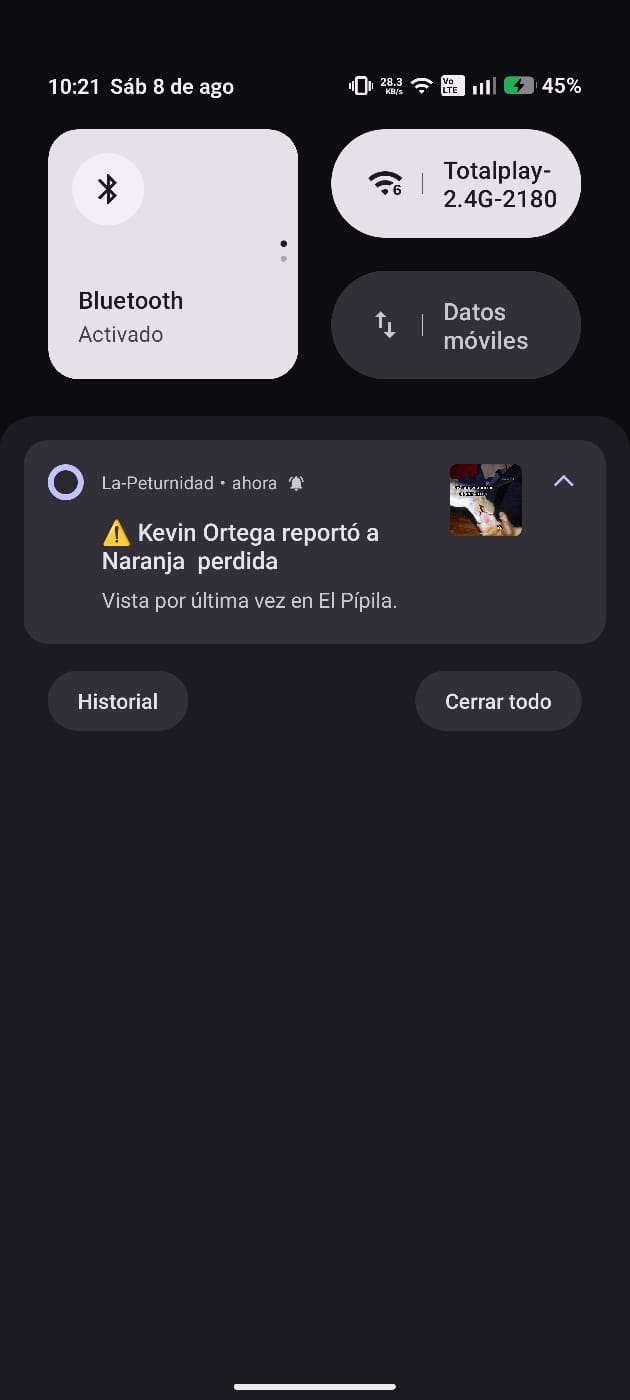
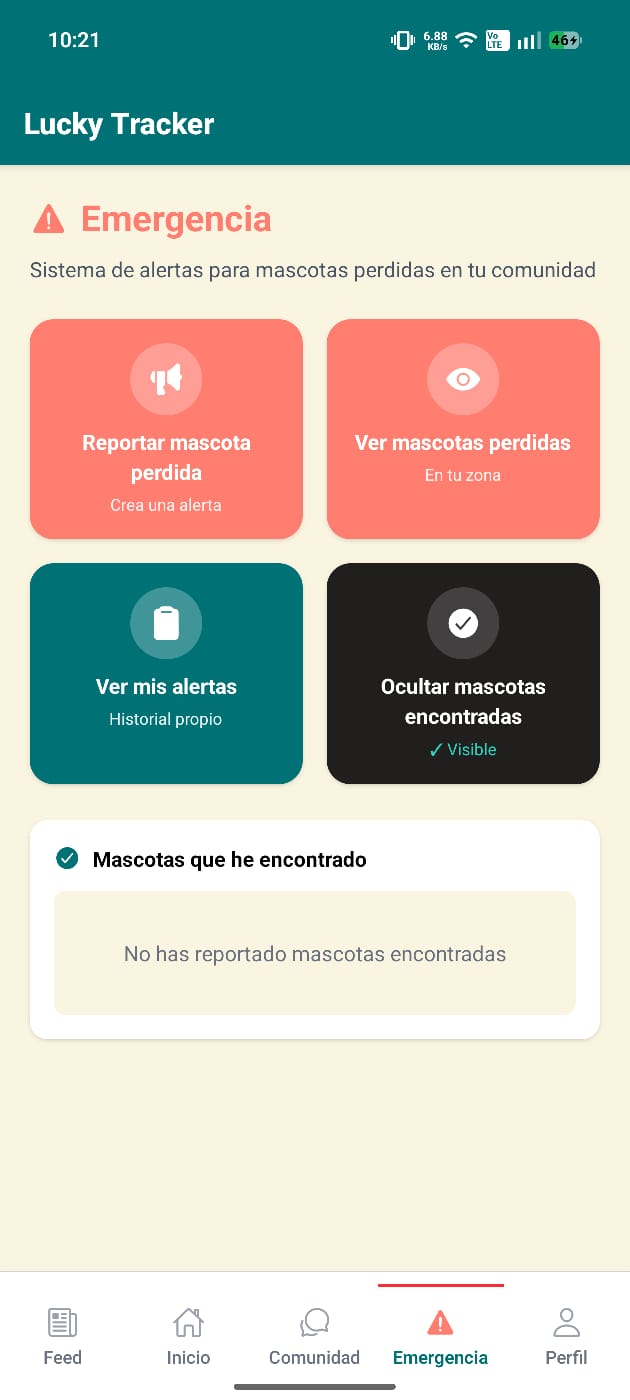
From the Emergency tab choose «Report lost pet», pick one of your pets and confirm. The alert goes out to every neighbor in your neighborhood and they instantly receive a push notification. Check «My alerts» anytime and delete the alert once your pet is back home.

Emergency action grid
Lost pets in your neighborhood
Confirm emergency alert
Push notification to neighbors
4

Found a lost pet?

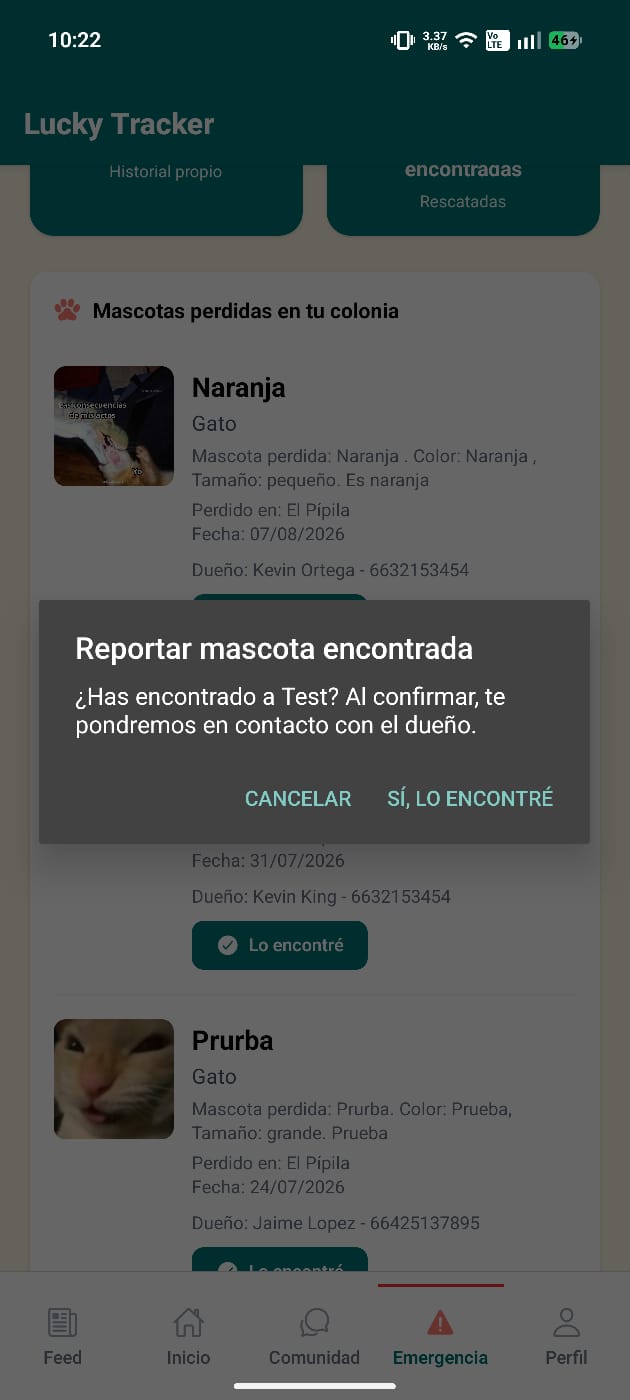
If you spot a lost pet, tap «I found it». Once confirmed, we put you in contact with the owner and the pet is listed under found pets.

Report found pet
Report found pet
Found pets list
Found pets list
5

Share with the community: Feed

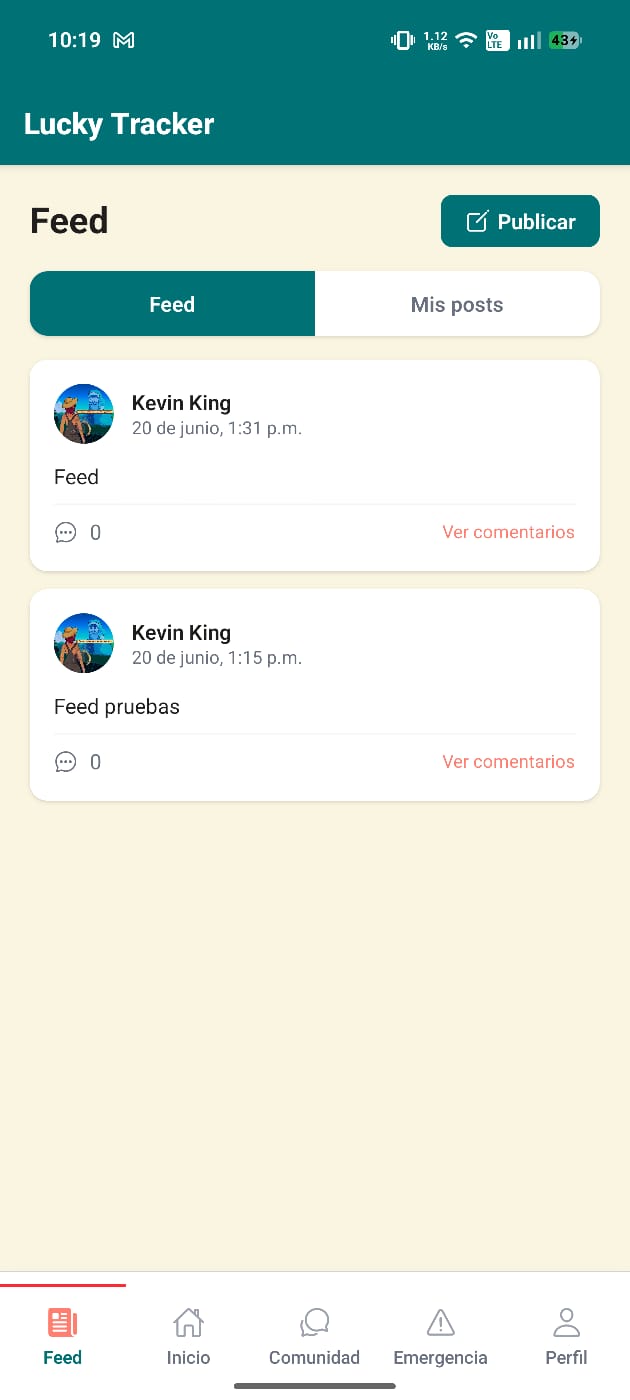
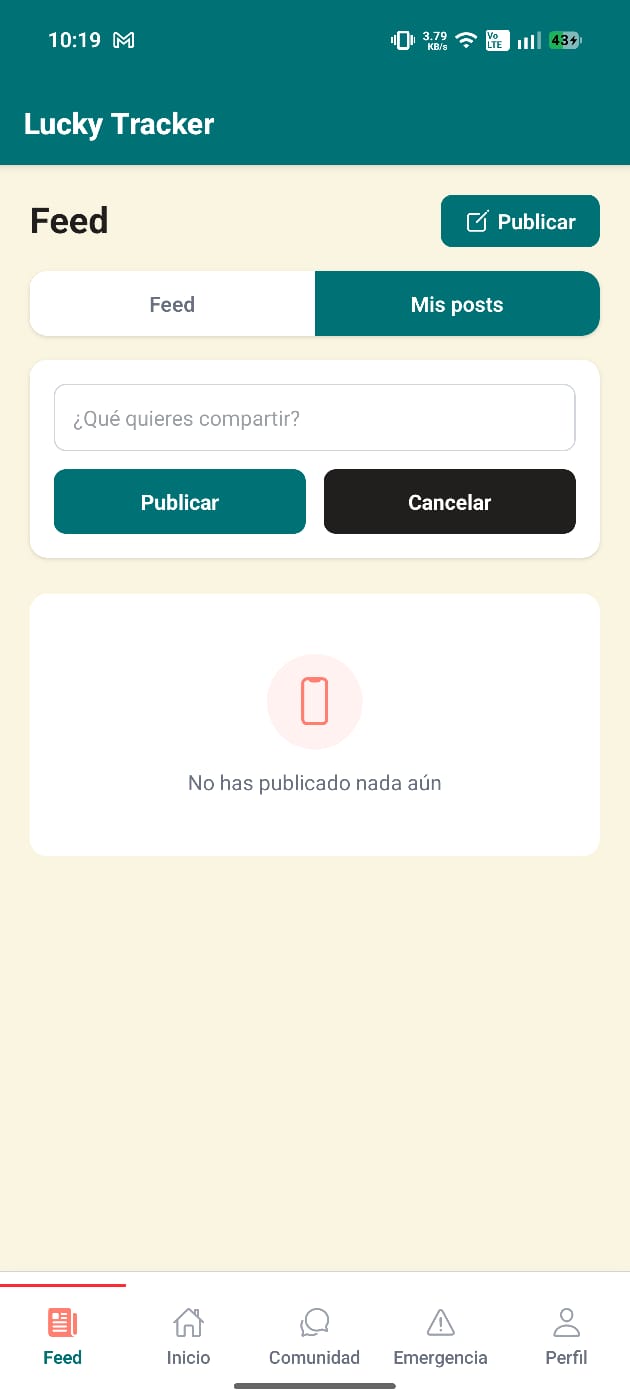
Post messages for everyone in the Feed section: write your post with «Post», comment on other people's posts and check what you've published under My posts.

Community feed
Community feed
Create a post
Create a post
6

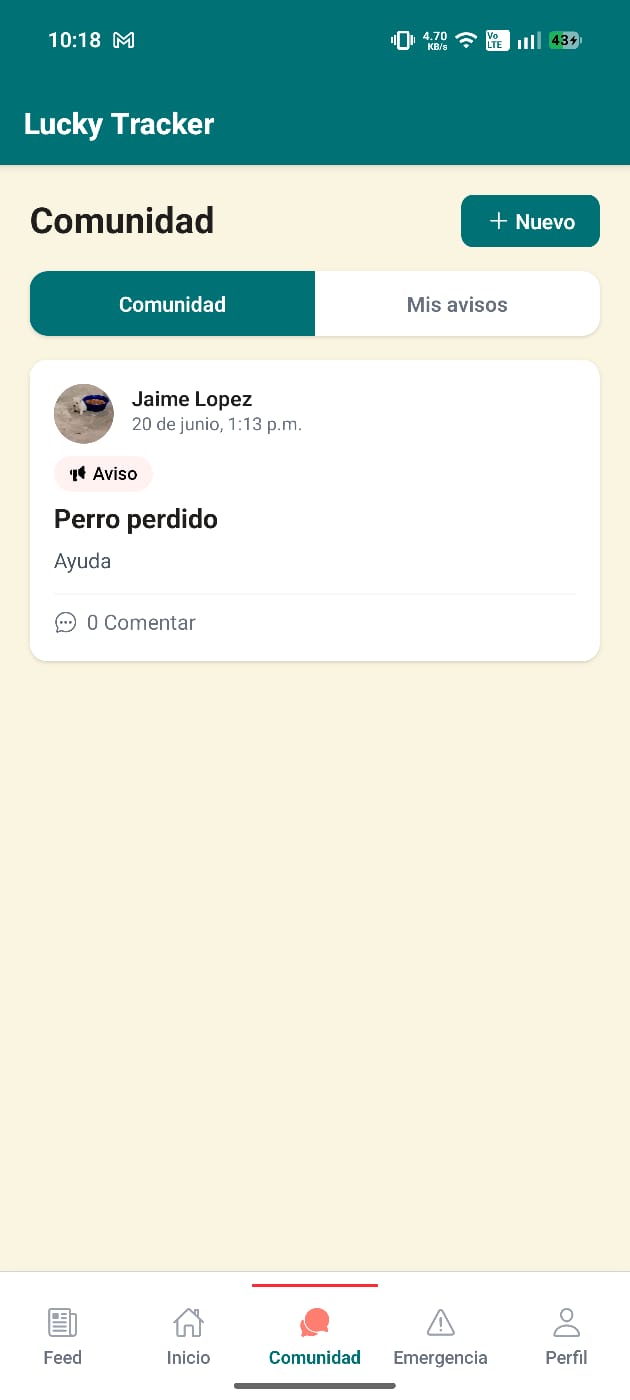
Neighborhood notices: Community

In Community you'll find neighborhood notices by category: general, notice, event or question. Create yours with «New» and publish it once title and content are validated.

Community notices wall
7

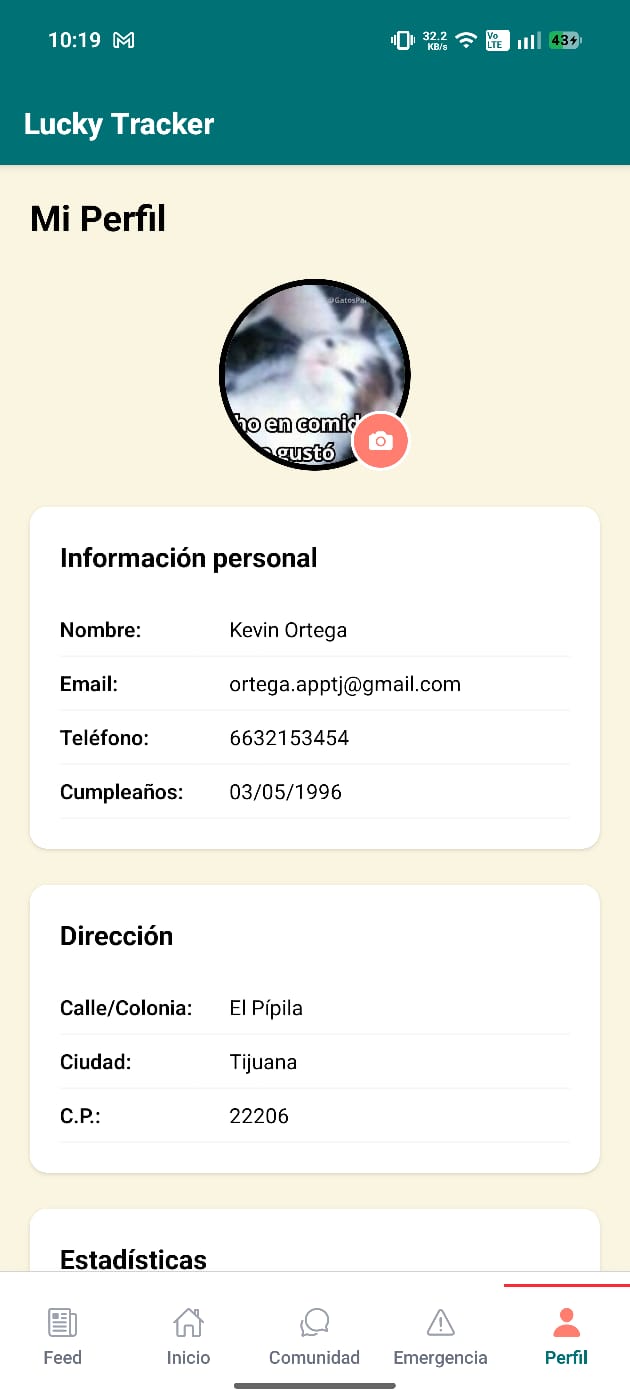
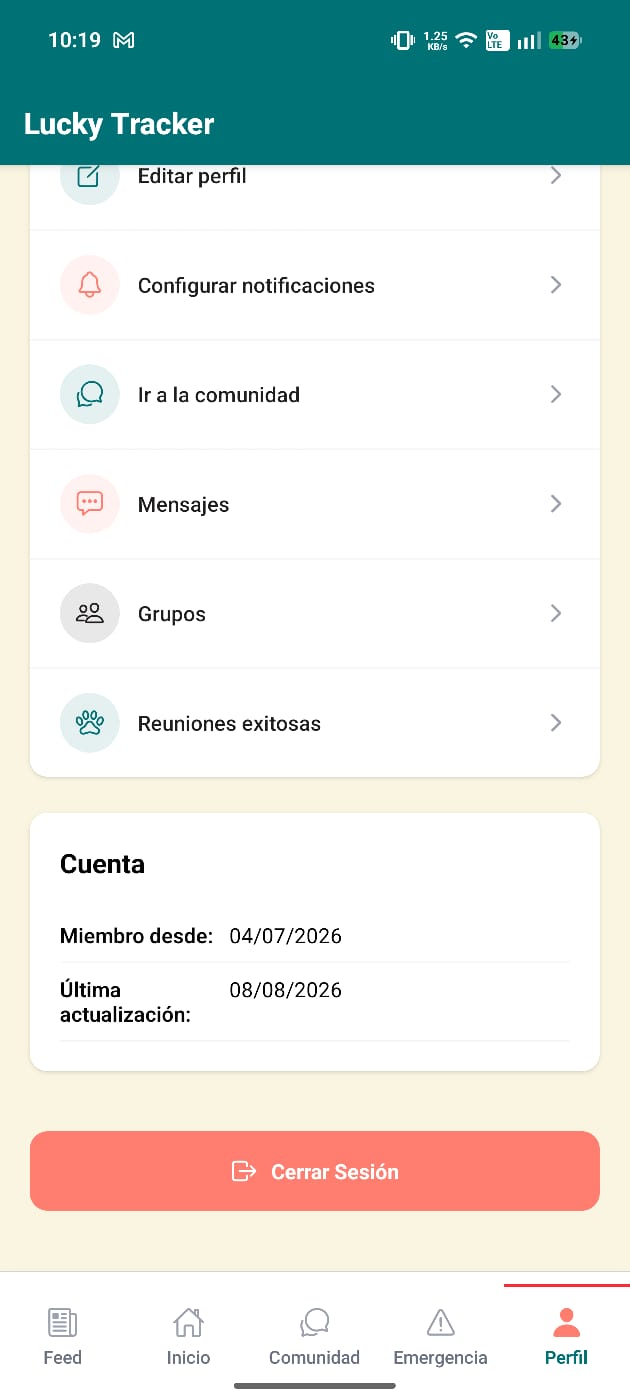
Your profile and settings

In Profile check your stats (pets, followers, following), edit your info, set up notifications, access Messages, Groups and Successful Reunions, and log out whenever you want.

Profile — info & stats
Account & log out
Account & log out